Canon DSLR Auto Exposure Bracketing Setup Guide
Forward
For most Canon cameras, exposure bracketing is straightforward to setup and use, there are few options, and changing them has little impact on the results. That changes with Canon’s 1-series DSLRs starting with the Mark 3s, and as time has gone on many of those changes have begun to find their way into lower tier cameras. This guide attempts to provide a list, that’s as complete as possible, of the settings and how they affect auto exposure bracketing on various Canon DSLRs.
I’ve organized this guide into sections that best attempt to group similar capabilities and configurations together. For example, though the 5D was a fairly high end full frame SLR, the bracketing capabilities and settings aren’t radically different from those of the original Digital Rebel. As such they’re grouped together in this document.
Finding labels for the various classes of cameras has proven difficult in many ways. Wikipedia, for example, breaks the cameras into professional, advanced, mid-range, and entry level tiers. However, as far as bracketing is concerned there aren’t nearly as many options. More importantly, the capabilities of higher tier bodies, as labeled by Wikipedia, have moved into lower tier bodies over time. For example, the mid-range 70D of today offers the same kinds of capabilities as a professional 1D from 10 years ago.
Instead of adopting something like Wikipedia’s model, I’ve elected to organize cameras into three major groupings, types 1, 2, and 3. Roughly speaking the higher the number the more capable the camera’s auto exposure bracketing capabilities are.
The best way to approach this document is to find the camera you’re interested in in the table of cameras table and click the link to take you to the relevant section.
One final note about this document, Canon’s branding for their entry level cameras varies by region. In Japan they’re marketed under the Kiss branding (i.e. Kiss X7i), in the US they’re marketed as EOS Rebels (i.e. EOS Rebel T5i), in Europe they simply are EOS followed by a model number (i.e. EOS 700D). Stepping up a tier and Canon globally markets their cameras under the EOS model-number moniker. For the sake of consistency, throughout this document I’ve used the EOS model-number (European) nomenclature when calling out specific entry level cameras. The table of cameras lists the brandings used in all markets to make it more accessible.
Canon’s Implementation of Auto Exposure Bracketing
Exposure bracketing is nothing more than varying the exposure made by the camera over the same scene. Exposures can be bracketed manually simply by adjusting the exposure or exposure compensation and exposing another frame. Since process can be time consuming drudgery, almost every camera manufacture has implemented some form of automation to remove doing it manually.
Auto exposure bracketing is achieved by altering the “uncontrolled” exposure variable (i.e. shutter speed or aperture), depending on what auto exposure mode the camera is operating in. The following table shows the exposure variable that will be adjusted depending on the exposure mode the camera is in. There is an exception to the rules laid out in the table that apply to the EOS-1D bodies and will be discussed in depth in that section.
| Mode | Adjusted |
| Manual (M) | Shutter Speed |
| Aperture Priority AE (Av) | Shutter Speed |
| Shutter Priority AE (Tv) | Aperture |
| Program AE (P) | Shutter Speed |
Exposure bracketing works within the existing metering frame work, meaning that the smallest step it can make an adjustment by is the step size defined by the camera. For most Canon cameras, this will default to 1/3 of a stop. However, many bodies allow this to be customized to 1/2 and in some cases 1 stop steps.
The camera’s step size defines the smallest increment, the implementation of the AEB system defines the largest. For Canon bodies the upper limit is 2 or 3 stops. For a camera that uses 1/3 stop increments and has limit of 2 stops, the upper and lower exposure brackets can be made at 1/3, 2/3, 1, 1-1/3, 1-2/3, or 2 stops away from the middle exposure.
The final parameter for exposure bracketing is the number of frames made by the bracketing set. For most Canon cameras this has been limited to 3 frames, a middle exposure (indicated by a 0), and two exposures made the set offset from the 0 exposure, one below (indicated by a -) and one above (indicated by a +).
When shooting in any of the auto-exposure modes (i.e. aperture or shutter priority, or program AE) the 0 frame can be biased across the whole range of the available exposure compensation. As a result the bracketed frames can lie outside of the “limits” of the exposure compensation you can normally apply. So long as they don’t also exceed the hard limits (30s or the max shutter speed for the body, or the maximum or minimum aperture of the lens) they will be made at the expected settings.
For example, a Canon 40D shooting a scene where 18% gray meters 1/125 @ f/8, configured to shoot in Aperture Priority, with a exposure compensation of +1 stop, and a bracket size of 1-1/3 stops, would produce 3 images, one at 1/250 @ f/8 (middle exposure +1 stop of exposure compensation), one at 1/640 @ f/8 (+1-1/3 stops from the middle exposure), and one at 1/100th @ f/8 (-1-1/3 stops from the middle exposure).
Getting the Most out of Your Camera when Bracketing
Though not directly related to the bracketing settings, there are a number of operations that have various side effects or are affected by enabling bracketing. In most cases these options improve the operation of the camera.
Drive Modes
Though obviously not directly related to exposure bracketing, there are a number of side effects that changing the drive mode has on the behavior of the camera.
Single and Quiet single release modes require the photographer to press the shutter release for each of the images in the bracketed sequence. That is, if you’re shooting a 3 frame bracket, you’ll have to press the shutter release (be it the one on the camera, or one on a wired remote release) 3 times to complete the sequence.
While the sequence is in progress, the camera’s exposure will be locked to the the exposures dictated by the bracketing sequence. That is, if you want to stop shooting, you’ll need to cancel the bracketing before you can reset the baseline exposure.
In continuous release mode, under normal circumstances, the camera will simply continue shooting at the maximum frame rate, or the fastest rate allowed by the available buffer. When bracketing, either auto-exposure or white balance, is enabled, the camera will stop shooting after it’s completely the bracketing sequence. That is, if you have a 3 frame bracket setup, the camera will fire 3 frames in rapid succession while you’re holding the shutter release down, and then stop.
Finally in timer modes, the camera will fire all of the configured bracketed frames after the time has expired. That is, if you set the camera to 2-second time, and a 3-frame bracket once you fully depress the shutter release, the camera will count down for 2 seconds, then fire all 3 frames in the bracket at a frame rate equal to the camera’s maximum continuous drive speed.
Mirror Lockup
Mirror lockup with bracketing is something of an annoyance, unless you have an EOS-1D that supports the Enable: Down with SET (button) option.
On most Canon bodies, if you have mirror lockup enabled, the camera will return the mirror to the down position at the end of every exposure. Canon’s firmware isn’t smart enough to deal with this in either continuous or timer drive modes, where the camera would otherwise fire off all the bracketed exposures automatically. Instead, with MLU enabled in either continuous or timer drive modes, the camera will take a single exposure, and wait for you to lock the mirror up again for it to proceed.
The exception to that behavior is the Enabled: Down with SET mode available on most of the EOS-1 bodies. In this mode, the camera won’t flip the mirror back down until you press the SET button on the camera. When combined with either timer or continuous drive modes, this means the camera will execute the entire bracket set without pausing for the mirror to reset and be raised again.
The Enabled: Down with Set functionality is very handy if you’re shooting exposure brackets over the shutter range from about 1-second to 1/125 where images are most prone to mirror slap induced vibration. Fortunately, for non-EOS-1 users, there is a passable workaround so long as your camera has Live View.
Live View
Bracketing works in live view, much the same as it does in the normal operation of the camera. The biggest side effect of shooting exposure brackets in Live View mode is to work around the lack of the Enabled: Down with SET mirror lockup mode that exists on the EOS 1D.
Live view effectively creates a situation where the camera is operating in mirror lockup mode all the time, only the camera won’t put the mirror down between frames when used in combination with continuous and timer release drive modes.
Overview of Exposure Bracketing Capabilities on Canon SLRs
The following table breaks down the exposure bracketing capabilities of most Canon SLR bodies. Clicking on the name of the camera will take you to the relevant section in this article for that camera.
| EOS M, EOS M2 | 3 | 2 | |
| EOS M3 | 3 | 3 | |
| EOS M5 | 3 | 3 | |
| EOS M6 | 3 | 3 | |
| EOS 100D / EOS SL1 | 3 | 3 | |
| EOS 200D / EOS SL2 | 3 | 3 | |
| EOS 1000D / Rebel XS (US) / Kiss F (JP) | 3 | 2 | |
| EOS 1100D / Rebel T3 (US) / Kiss X50 (JP) | 3 | 2 | |
| EOS 1200D / Rebel T5 (US) / Kiss X70 (JP) | 3 | 2 | |
| EOS 1300D / Rebel T6 (US) / Kiss X80 (JP) | 3 | 2 | |
| EOS 2000D / Rebel T7 (US) / Kiss X90 (JP) / EOS 1500D (SE Asia) | 3 | 2 | |
| 300D / Digital Rebel / Kiss Digital | 3 | 2 | |
| 350D / Rebel XT / Kiss Digital N | 3 | 2 | |
| 400D / Rebel XTi / Kiss Digital X | 3 | 2 | |
| 450D / Rebel XSi / Kiss X2 | 3 | 2 | |
| 550D / Rebel T2i / Kiss X4 | 3 | 2 | |
| 650D / Rebel T4i / Kiss X6 | 3 | 2 | |
| 700D / Rebel T5i / Kiss X7 | 3 | 2 | |
| 750D / Rebel T6i / EOS Kiss X8i | 3 | 2 | |
| 760D / Rebel T6s / EOS 8000D | 3 | 2 | |
| 800D / Rebel T8i / EOS Kiss X9i | 3 | 2 | |
| 77D / EOS 9000D | 3 | 2 | |
| 10D | 3 | 2 | |
| 20D | 3 | 2 | |
| 30D | 3 | 2 | |
| 40D | 3 | 2 | |
| 50D | 3 | 2 | |
| 60D | 3 | 3 | First consumer level camera to support a 3 stop exposure step width. |
| 60Da | 3 | 3 | |
| 70D | 2,3,5,7 | 3 | |
| 80D | 2,3,5,7 | 3 | |
| 7D | 3 | 3 | |
| 7D mark II | 2, 3, 5, 7 | 3 | |
| 6D | 2, 3, 5, 7 | 3 | |
| 6D Mark II | 2, 3, 5, 7 | 3 | |
| EOS R | 2, 3, 5, 7 | 3 | |
| 5D |
3 | 3 | |
| 5D Mark II | 3 | 3 | |
| 5D Mark III | 2, 3, 5, 7 | 3 | |
| 5D Mark IV | 2, 3, 5, 7 | 3 | |
| 5Ds / 5Ds R | 2, 3, 5, 7 | 3 | |
| 1D | 2, 3, 5, 7 | 3 | The 1D, 1D Mk. 2, and 1D Mk. 2N support ISO AEB in 1/3 stop increments |
| 1D Mark 2 | 2, 3, 5, 7 | 3 | |
| 1D Mark 2N | 2, 3, 5, 7 | 3 | |
| 1D Mark 3 | 2, 3, 5, 7 | 3 | |
| 1D Mark 4 | 2, 3, 5, 7 | 3 | |
| 1Ds | 2, 3, 5, 7 | 3 | Original 1Ds and 1Ds Mk. 2 supports ISO AEB in 1/3 stop increments |
| 1Ds Mark 2 | 2, 3, 5, 7 | 3 | |
| 1Ds Mark 3 | 2, 3, 5, 7 | 3 | |
| 1D X | 2, 3, 5, 7 | 3 | |
| 1D X mark II | 2, 3, 5, 7 | 3 | |
| 1D C | 2, 3, 5, 7 | 3 | |
| Camera | No. Frames | Maximum Step Size (in stops) | Notes |
Mainstream Cameras (Type 1 Cameras)
By far the vast majority of Canon SLRs have fallen in this category, not simply because of the volume of Rebels sold, but also because this covers by far the longest run of relatively fixed functionality.
On these cameras, the exposure bracketing is limited to 3 exposures. The step size can be set between 1/3 and 2 or 3 stops depending on the specifics of the camera in question. Finally, the central exposure can be biased in either direction up to the camera’s max exposure compensation range. Early cameras can be very limited in their capabilities beyond just firing a bracketed sequence.
Entry Level Cameras (Type 1A)
| Applicable Cameras |
| EOS M, EOS M2, EOS M3 100D 1000D, 1100D, 1200D, 1300D, 2000D 300D, 350D, 400D, 450D, 500D, 550D, 600D, 650D, 700D, 750D, 760D, 800D 77D |
Canon’s entry level cameras have seen the least advancement in terms of bracketing functionality of any of Canon’s cameras. Bracketing is limited to 3 frames only, over a maximum range of 2 stops, in either 1/2 or 1/3 stop increments. The only real advancement modern bodies, like the 700D, have contributed is an expansion of the range of exposure compensation that can be applied to the base image.
That said, it’s worth noting that this class of cameras covers more than a decade of developments–the 300D was released in the middle of 2003, and the EOS M2 was released at the end of 2013. As a result the UI conventions have changed slightly over the years. Most notably, Canon has generally combined the exposure compensation and auto exposure bracketing into a single menu item instead of splitting it across a menu item and a hard button setting.
Enabling/Disabling AEB
In general, enabling and disabling exposure bracketing on these cameras is done through the Shooting menu (red camera) or Shooting 2 menu (red camera with 2 dots) when it appeared.
The general procedure for setting up auto exposure bracketing on these cameras is as follows:
- Press the MENU button
- Navigate to the Shooting or Shooting 2 menu
- Selecting the Expo.Comp./AEB menu item and press SET
- Rotate the Main Dial changes the AEB amount.
- Press SET again to apply the setting.
On cameras that have a Quick Control Button ( [Q] ), such as the 700D, auto exposure bracketing can also be configured as follows:
- Pressing the [Q] button.
- Navigate to the exposure meter (Exposure comp. / AEB setting) box using the arrow keys.
- Rotate the Main Dial to change the bracketing amount.
- Press SET or half press the shutter release to accept the setting
To disable Auto Exposure bracketing repeat the above procedures except turn the dial until the bracketing indicators are gone. Alternatively, power cycling the camera will clear the AEB settings.
EOS M Series Notes
For the EOS M3, the exposure bracketing is found on the Shooting 3 menu, not the Shooting 2 menu. For the EOS M5, the bracketing settings are found on Shooting 4.
Additionally, on all EOS M cameras, you can access a menu similar to the Quick Control menu [Q] for settings by pressing Info until it appears.
Bracketing Order
Bracketing on these cameras is always shot in the order of a nominal (0) frame, under (-) frame, and over (+) frame.
Bracketing Step Size
The only real option available to customize the bracketing on these cameras is the exposure step size. This is set through the custom functions and can be found at the custom function listed in the table below.
| Camera Model | Custom Function |
| 350D, 400D |
C. Fn-6 |
| EOS M, EOS M2 |
C. Fn-1 |
| 1000D, 1100D |
C. Fn-1 |
| 100D |
C. Fn-1 |
| 450D, 500D, 550D, 600D, 650D, 700D, 750D, 760D |
C. Fn-1 |
Mid Tier and Prosumer Cameras (Type 1B)
| Applicable Cameras |
| 10D, 20D, 30D, 40D, 50D, 60D 7D 5D, 5D Mk. II |
A step above the entry level cameras that make up the Type 1A group, these cameras feature a slightly improved range of functionality in their bracketing. The biggest feature added to these cameras is the ability to affect the bracketing order.
Enabling/Disabling AEB
In general, enabling and disabling exposure bracketing on these cameras is done through the Shooting menu (red camera) or Shooting 2 menu (red camera with 2 dots) when it appeared. Compared to the Type 1A cameras, these cameras require you to use the Quick Control Dial (rear dial) to set the bracketing increment.
The general procedure for setting up auto exposure bracketing on these cameras is as follows:
- Press the MENU button
- Navigate to the Shooting or Shooting 2 menu
- Selecting the Expo.Comp./AEB menu item and press SET
- Rotate the Quick Control Dial (rear dial) to set the AEB amount.
- Press SET again to apply the setting.
On cameras that have a Quick Control Button, such as the 60D, auto exposure bracketing can also be configured as follows:
- Pressing the [Q] button.
- Navigate to the exposure meter (Exposure comp. / AEB setting) box using the arrow keys.
- Rotate the Quick Control Dial (rear dial) to change the bracketing amount.
- Press SET or half press the shutter release to accept the setting
Note, in the Quick Control Menu the meter bar exposes both bracketing and exposure compensation functionality. The Main Dial (front dial) will alter the exposure compensation, while the Quick Control Dial (rear) will change the bracketing step.
To disable Auto Exposure bracketing repeat the above procedures except turn the dial until the bracketing indicators are gone. Alternatively, power cycling the camera will clear the AEB settings.
Bracketing Order
The biggest feature added to these cameras over the Type 1A cameras, is the ability to change the bracketing order from the default “0, -, +” to “-, 0, +”. However, because the brackets are still limited to 3 frames, and the resulting set is symmetrical around the 0 exposure, the only effect of this is to arrange your images in in order of increasing brightness.
Changing the bracketing order is done the custom function listed in the table below.
| Camera Model | Custom Function |
| 10D, 20D, 30D |
C. Fn-09 |
| 40D, 50D, 60D |
C. Fn. I-5 |
| 7D |
C. Fn. I-5 |
| 5D |
C. Fn-09 |
| 5D Mark 2 |
C. Fn. I-5 |
Bracketing Step Size
The “step size” of 1/3 or 1/2 stop used by the bracketing program matches the exposure level increment set for the camera’s exposure meter. The table below lists the exposure level custom functions on various cameras on which changing them is supported.
| Camera Model | Custom Function |
| 10D, 20D, 30D |
C. Fn-06 |
| 40D, 50D, 60D |
C. Fn. I-1 |
| 5D |
C. Fn-6 |
| 5D Mark 2 |
C. Fn. I-1 |
| 7D |
C. Fn. I-1 |
Type 2 Cameras
Historically this class of functionality has been reserved for Canon’s pro bodies, however, in recent years Canon has increasingly pushed the “pro level” bracketing features into lower tier bodies. This started in a big way with the EOS 5D Mark III, which shared essentially the same level of functionality as the EOS 1DX and rest of the historical EOS-1 line. However, the recent addition of the EOS 70D in the latter half of 2013, has seen many of those features appear in that tier body as well.
Early Pro Cameras (Type 2A)
| Applicable Cameras |
| EOS-1D, EOS-1D Mk. 2, EOS-1D Mk. 2N EOS-1Ds, EOS-1Ds Mk. 2 |
The first 2 generations of the EOS-1D and EOS-1Ds cameras set the tone for what to expect from Canon pro dSLRs when it came to bracketing. They were capable of 2, 3, 5, and 7 frame brackets, with 1/3- or 1/2-stop increments from 1/3 to 3 stops from the central exposure.
However, unlike the 3rd generation EOS-1 bodies, or even the consumer/prosumer cameras, not all of the bracket configuration options could be set on the camera without connecting it to a computer. Specifically, the number of bracket exposures is controlled with personal function 08 which required a computer connection to change.
One interesting operation that was possible in these early bodies was bracketing with the ISO speed.
Enabling and Disabling Bracketing on Pro Bodies
Standard AE bracketing on these cameras is enabled or disabled by pressing the MODE and AF buttons simultaneously. Then rotating the Main Dial (front), to set the bracketing increment.
Enabling the alternative mode where the ISO is varied to create the bracketed set is done by pressing the AF and Metering Mode/Flash Exposure Compensation buttons simultaneously–the ISO option indicated on the left shoulder. One in the ISO mode, rotating the Quick Control Dial (rear) will set the ISO bracketing offset.
Canceling bracketing can be done a number of ways. The first is to repeat the procedure used to set the bracketing, only dialing the bracketing increment to 0. Alternatively, if Auto Cancel is enabled though C. Fn-09 then the bracketing sequence can be canceled by power cycling the camera or changing lenses.
Bracketing Order and Auto Cancel
The order in which the exposures are taken is determined by C.Fn-09. Option 1 uses the standard “0, -, +” sequence, and doesn’t use auto cancellation. Options 2 and 3 use the order specified by P.Fn-09 to control the bracketing order, the difference being that option 2 enabled auto cancellation while Option 3 does not.
Bracketing Step Size
The step size is set by changing C.Fn-6. However, due to a limitation in the camera’s ISO controls, setting the camera to 1/2 stop exposure increments, disables bracketing using ISO.
Other Options
These early bodies include a feature that was removed on later bodies which is the ability to repeat the bracket set when shooting in continuous release mode. This is set through Personal Function 7.
I believe, though I can’t speak with authority on this, but when using the 2-frame brackets these cameras are capable of, the bracketing order set through Personal Function 9 will determine whether the bracketed frame is offset over or under the nominal value. See 2-Frame Bracketing Sets in the next section for an explanation of how the bracketing order affects 2-frame sets.
Custom and Personal Functions Related to Bracketing
| Custom Function | Function |
| C.Fn-06: Exposure level increments | Changes the size of the steps used by the auto exposure bracket. |
| C.Fn-09: Auto bracketing sequence/Auto cancel | If enabled, clears the AEB and white balance bracket when |
| P.Fn-07 | Sets bracketing to repeat during continuous shooting. |
| P.Fn-08 | Sets the number of shots in the bracket set. |
| P.Fn-09 | Changes the order in which exposures are made when using C-Fn.-09 option 2 and 3. |
3rd Generation EOS-1 Bodies (Type 2B)
| Applicable Cameras |
| EOS-1D Mk. 3, EOS-1D Mk. 4 EOS-1Ds Mk. 3 |
The 3rd generation of EOS-1D bodies retained most of the functionality of their predecessors with 2 major changes. Though technically a “Mark 4”, the EOS-1D mark 4 is included here as there were no changes made to the bracketing settings.
The biggest change that the 3rd gen bodies brought to photographers is the ability to fully configure bracketing from the camera’s UI. This comes firstly by moving the bracketing order and number of bracketed shots from personal functions to custom function. What was P.Fn-08 and P.Fn-09, have become C.Fn I-5, and C.Fn I-6 respectively.
The other change came with the removal of some options and features. Personal function 7, which enabled repeating the bracket in continuous mode has been removed. In continuous drive mode, bracketing behaves as described in the Getting the Most out of Your Camera section.
Secondly, the ability to bracket using the cameras ISO, instead of the usual shutter or aperture, has been removed.
Enabling and Disabling Exposure Bracketing
Like the Type 2A cameras, this is done by pressing the MODE and AF/DRIVE buttons simultaneously. Then rotating either the Main Dial or the Quick Control Dial to set the AEB increment. These bodies will display the amount of bracket selected visually on the metering bar, as well as textually at the top of the display.
Disabling exposure bracketing is done the same way, only the dials are rotated to set the bracketing increment to 0.
Bracket Ordering
Bracketing order on these bodies is controlled though C. Fn I-5: Bracketing Sequence. The 3 options allow you to select between 1) the default “0,-,+” sequence, 2) a “-,0,+” sequence, and 3) the “+,0,-” sequence.
2-Frame Bracketing Sets
For most Canon bodies, the bracketing order isn’t relevant. However, the EOS-1D bodies allow one to create an asymmetrical bracketing set with the 2-frame option. In this case the type of bracketed frame, be it an over or under frame, affects the ultimate range that can be used in the bracketing set.
For example, since the camera allows ±3-stops of exposure compensation and a 3-stop wide bracket interval, an under frame with -3 stops of exposure compensation would be -6 EV from the 0 EV point. However, going to +3 stops of exposure compensation, the under frame would be at the 0 EV point and there would be no way to have a +6 EV frame.
Fortunately this isn’t actually the case. Whether the 2nd frame is an over or under frame is set, unintuitively, but changing C. Fn I-5: Bracketing Sequence. When the custom function is set to option 1 or 2 (“0,-,+” or “-,0,+”) the bracket frame is an under frame. When the custom function is set to option 3 (“+,0,-“), the bracket frame becomes an over frame that can reach out to +6 EV.
|
|
|
Affected Exposure Control
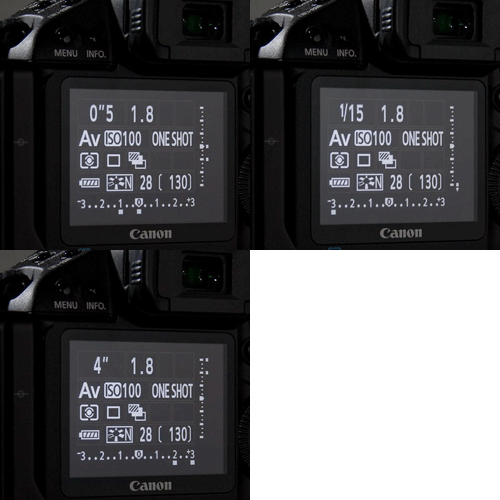
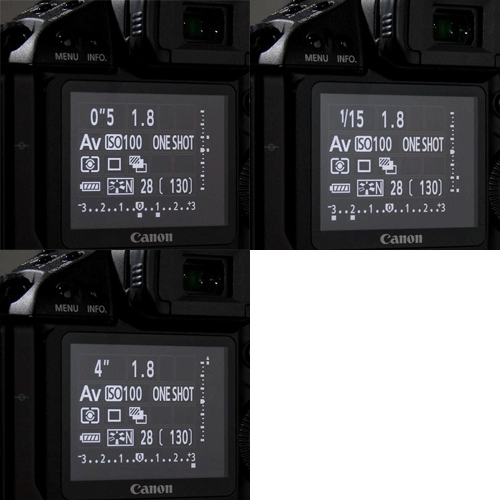
By default the exposure variable used to derive the bracket sequence is the same as all other cameras. However, uniquely among Canon cameras, when in manual mode the exposure variable can be reversed by changing the C. Fn. IV-5: Tv/Av Setting for Manual Exposure. This is a rather unintuitive.
| C. Fn. VI-5 Setting |
Manual Mode Exposure Variable Used |
1:  |
Shutter Speed (default) |
2:  |
Aperture |
On one hand, I really do like that you can change the bracketing behavior in manual mode, it’s definitely hand if you’re one for making aperture based exposure brackets. On the other hand, the way Canon went about doing it by tying it to the control positions, makes it somewhat unwieldy—at least if you’re like me who uses manually mostly for flash work and shoots with the controls reversed.
Custom Functions Related to Bracketing
| Custom Function | Function |
| C.Fn I-1: Exposure Level Increments | Primary: Change the size of the exposure level and exposure compensation steps. Secondary: Changes the size of the steps used by the auto exposure bracket. (0 and 1 result in 1/3rd stop bracket steps, 2 produces 1/2-stop steps) |
| C.Fn I-5: Bracketing Sequence | Primary: Controls the order in which bracketed exposures are made. Secondary: Controls whether the 2-frame bracket will be positively- or negatively-biased. |
| C.Fn I-6: Number of Bracketed Shots | Sets the number of shots in the bracket set. |
| C.Fn IV-5: Tv/Av Setting for Manual Exposure | Primary: Change the way you control the camera in manual exposure. Secondary: Sets whether the camera changes the aperture or shutter speed when bracketing in manual mode. Use setting 0 for shutter speed, and use setting 1 for aperture. |
Post 2012 Bodies (Type 3)
| Applicable Cameras |
|
EOS 70D |
When Canon released the EOS 5D mark 3 and EOS-1D X in early 2012, they revamped the bracketing system again. Though the functionality is largely similar to the previous generation of EOS-1 digital bodies, they user interface has been changed some what.
Moreover, in mid 2013 and 2014 Canon launched the EOS 6D and EOS 70D, both of which took the same bracketing capabilities of the 5D mark 3 and 1DX and expanded them into the more mainstream product lines.
That said, while the capabilities are basically the same across all 3 models, the user interfaces and configuration options vary slightly from the lowest model, the 70D, to the highest model, the 1DX. In fact, there are basically 3 different UIs. One is shared by the 70D and 6D, one is used by the 5D mark 3 and one is used by the 1DX and 1DC. With that said, I’ve organized this section slightly differently than the other sections in that I’m not separating the bodies out into sub types as they all overlap, but do so in different areas. Instead, you’ll find each of the 3 subtypes called out in a sub heading in each of the sections.
With Canon’s introduction of the 80D, 7D mark II, 5Ds[r], and 1DX mark II, Canon has consolidated almost all of the bracketing settings into a standard interface layout.
Enabling/Disabling Exposure Bracketing
EOS 70D, 80D, 7D mark II, 6D, 5D mark 3, and 5Ds[r]
The cameras listed here generally fall into Canon’s mid tier UI design. The 70D, 80D, and 6D, use the simplified single function/dual dial UI that was introduced by the 60D, and the 5D mark 3, and 5Ds continues the dual-function button/dual dial UI that dates back basically to the 40D.
All 3 of these cameras setup the bracketing through the menu system as opposed to a dedicated button. To enable bracketing though the menus on these cameras the following procedure applies.
- Press the MENU button.
- Navigate to the appropriate Shooting Menu
- Shooting 3 for the 70D, and 6D
- Shooting 2 for the 80D, 7D mark II, 6D mark II, 5D Mark 3, 5D mark IV, and 5Ds[r]
- Select the Exposure Compensation/AEB menu item and press SET
- Use the Main Dial to set the AEB increment
- Press SET to confirm the settings.
All 3 of these cameras feature a Quick Command Menu accessed through the [Q] button on the back, and exposure bracketing can be configured through the quick command menu as well.
- Pressing the [Q] button.
- Navigate to the exposure meter (Exposure comp. / AEB setting) box using the arrow keys or touch screen.
- Rotate the Quick Control Dial (rear dial) to change the bracketing amount.
- Press SET or half press the shutter release to accept the setting
EOS-1D X, 1DX mk II, and EOS-1D C
The EOS-1D X and EOS-1D C retain the previous EOS-1D mechanic of using the two physical buttons. In the case of the 1DX and 1DC, you need to press the MODE and AF•DRIVE buttons (on the left shoulder) simultaneously, the rotate either the Main Dial or Quick Command Dial to set the bracket step size.
Number of Bracketed Shots
All 5 of the cameras in this section support 2, 3, 5 and 7 frame bracketing. The number of shots in the bracket set is set though the camera’s custom functions.
| Camera | Custom Function |
| 70D 6D 6D Mark II |
C.Fn I-5: Number of Bracketed shots |
| 80D 7D Mark II 5D Mark III 5Ds[r] 1DX 1DX Mark II 1DC |
C.Fn 1: Number of Bracketed shots |
Bracketing Order
Like the number of bracket shots, the bracketing sequence can be set to 1 of 3 options, “0,-,+”, “-,0,+”, and “+,0,-“. The procedure likewise mimics the
| Camera | Custom Function |
| 70D 6D 6D Mark II |
C.Fn I-4: Bracketing Sequence |
| 80D 7D Mark II 5D Mark III 5Ds[r] 1D X 1D X Mark II 1D C |
C.Fn 1: Bracketing Sequence |
2-Frame Bracket Sets
Like the previous generation EOS-1s it’s possible to shoot a 2-shot bracketing sequence with these cameras. Since this sequence is asymmetric, meaning there is either no + or no – frame for the set it becomes necessary to control whether the bracketed frame is an over or under frame.
Unlike the previous EOS-1s, this doesn’t require playing with the bracketing order. Instead when 2-frame mode is selected from the Number of Bracketed Shots custom function, the over or under status is set based on which direction you rotate the main dial when setting the bracket.
Rotating the Main Dial to the left when setting up the bracket interval will shift the bracket frame indicator to the left, creating an bracket set with an – and 0 frame. Rotating the Main Dial to the right will shift the bracket frame indicator to the right, creating a bracket set with a 0 and + frame.
Altered Exposure Control
The table below shows the what exposure element (shutter speed or aperture) is adjusted by the exposure bracketing program.
| Mode | Adjusted |
| Manual (M) | Shutter Speed |
| Aperture Priority AE (Av) | Shutter Speed |
| Shutter Priority AE (Tv) | Aperture |
| Program AE (P) | Shutter Speed |
Unlike on previous EOS 1D bodies, you are no longer able to change the adjusted exposure control from shutter speed to aperture during a manual exposure AEB by changing a custom function or by remapping the main and quick control dials.
Custom Functions Related to Bracketing
EOS 70D and EOS 6D
| Custom Function | Function |
| C.Fn I-1: Exposure Level Increments | Changes the size of the steps used by the auto exposure bracket. (0 and 1 result in 1/3rd stop bracket steps, 2 produces 1/2-stop steps) |
| C.Fn I-3: Bracketing Auto Cancel | If enabled, clears the AEB and white balance bracket when |
| C.Fn I-4: Bracketing Sequence | Sets the order in which bracket shots are made. |
| C.Fn I-5: Number of bracketed shots | Sets the number of shots in the bracket set. |
EOS 80D, 7D Mark 2, 5D Mark 3, 5Ds[r], 1DX, 1DX mark II, and EOS 1DC
| Custom Function | Function |
| C.Fn 1: Exposure Level Increments | Changes the size of the steps used by the auto exposure bracket. (0 and 1 result in 1/3rd stop bracket steps, 2 produces 1/2-stop steps) |
| C.Fn 1: Bracketing Auto Cancel | If enabled, clears the AEB and white balance bracket when |
| C.Fn 1: Bracketing Sequence | Sets the order in which bracket shots are made. |
| C.Fn 1: Number of bracketed shots | Sets the number of shots in the bracket set. |
Interested in learning more about other camera settings? If so you might be interested in configuring rear button focusing on Canon cameras.
Comments
Would be a great article, but does not tell you how to start and stop bracketing on these cameras. “exposure bracketing is straightforward to setup and use” maybe, but if you came here to figure out how to set it up, no luck…
Fair enough point. I had intended to cover more of the advanced bits, but it’s probably worth adding the basics as well. I’ll stick that in the pipline for an update (need to add new camera updates 5D3/1Dx/1Dc as well).
Great tutorial! Thank you!
Great article! I am however missing information on how the different cameras differ in regards to live view. Bracketing works on the 5D Mark II when shooting in live view, but I cannot make the 1D Mark IV work the same way. Seems to me that bracketing is automatically shut off when live view is activated on the MK IV. Do you know any workaround to this?
As far as I know, AE bracketing should function the same in live view as it does shooting through the viewfinder. The only exception I’m aware of, is that AEB is disabled in live view, when live view is set to movie mode instead of stills mode.
Hi
Very handy and well written guide.
On thing which I can’t see mentioned is a feature which I use a lot when doing bracketed panoramas from a tripod.
On both the 1D MkIV and 5DMkII that I use, using either of the self timers with AEB allows you to just press the shutter button once. This will fire off the whole bracketed series in one go rather than having to press the shutter button for each frame. The difference between the two cameras is that the 5DMkII only allows you to do single press bracketing in liveview mode, whereas the 1DMkIV allows it in bot live view and standard mode.
Another feature that I use when doing hand-held HDR shots is to set the camera to high speed drive mode after activating the bracketing mode. This allows you to fire of the bracketed series by simply holding down the shutter button. Firing will stop at the end of the series even if your finger is still on the shutter button. This allows you to take the series handheld more rapidly (especially with fast shutter speed) and thereby minimise accidental changes in your framing due to movement of the camera.
Anyway, thanks for a great guide.
Cheers
Craig
Yes, those are both certainly very handy features. I’ve been thinking about adding a general tips section when I do the next major update, for new cameras (probably at the end of this year) and both of those will definitely be included as they’re probably the two biggest bracketing tricks.
The single press bracketing behavior on the 5D mk II is interesting. That would be the only Canon body I’m aware of that doesn’t fire off all 3 frames in normal (non-LV) mode with the timer release (it works properly on bodies that predate the 5D mk II, like the 40D and 1D mk III). Nor is there an indication of that incongruity in the manual either, it suggests that all 3 frames should fire regardless of LV being enabled or not.
Nice writeup. I’m debating whether the rapid fire of the shutter on the 1dx in auto-bracket is better than individual release with a remote trigger. Time vs. vibration. Probably makes no difference. Anyway, this came up on a google search for bracketing feature ’cause I forgot how to enable it on my 1dx so thanks again (and for myself…duh, it’s right on the camera buttons….)
Paul,
On the 1DX you have a couple of options. If you turn on mirror lockup (either mode) and use the timer drive mode the camera will flip the mirror up and shoot the AEB sequence with out dropping the mirror in between frames.
The other option is the second MLU mode option (down w/ set) where the mirror will stay locked up until you hit the set button (or a 30 second timer of inactivity times out). In either case, the only vibration would be from the shutter, which shouldn’t affect things one way or another.
With the mirror up, there’s not going to be a significant difference in vibration between single framing ti space out with a cable release and running the drive at 12 FPS. Of course you can always turn continuous low down to 1FPS if you wanted to reduce the vibration even further, at least for exposures that are <1s. Of course longer than 1s and the vibrations from the mirror/shutter shouldn't have any visible impact on the images.
Canon 6D has this specification, according to the DPReview web site:
AE Bracketing ±3 (2, 3, 5, 7 frames at 1/3 EV, 1/2 EV steps)
I’m not sure how I missed that, but thanks for pointing out the omission.
Thank you – that explains perfectly why bracketing didn’t work on my canon – switch to continuous shooting and now it does. Sorted.
Super smart article, a hard thing to find on the internet these days. I have a question that (I think) is unanswered. I’m an architect shooting interior 360 panoramas for virtual tours of our buildings. Our last attempt (also our first) went well all things considered. But two of the scenes were totally blown out to the extent Camera Raw could do very little to bring the images back. Since then we’ve discovered that our error may be in that we didn’t meter before shooting in AEB mode (-2, 0, +2).
Assuming that’s correct, I’ve been searching high and low for a definitive lesson on on how to adjust the shutter speed for the lighting in the scene in AEB mode. Some say start in Aperture Priority mode with AEB on, use spot metering and point camera at midtones in the scene, then adjust shutter speed so the middle exposure (when AEB set to take three exposures) is at 0. Then switch to manual mide, lock all of the important settings, and start firing. That seems like it’ll work, no?
We’re going to test this today but would feel so much better if a pro could unravel this mystery for us. I’m confident we’ll figure it out eventually but a little concise advice could have us beaming by the end of the day!
Jeff P,
Unless you’re shooting in manual mode, the camera always meters before each AEB sequence. If you’re in program, aperture, or shutter priority, and shooting a full AEB sequence at each pano position, each sequence will start with a new baseline exposure value based on what the camera meters the exposure for that frame should be. Only when you’re shooting in manual will the camera not meter and use the exposure settings you’ve set.
The trick here is that you’re not really dealing with an AEB problem, but a 360° pano exposure problem, and that’s significantly more complex and therefore difficult to address. Unfortunately, I’m also not an expert at 360° panos; I simply don’t shoot enough of them to really have solid advice on them.
That said, what you’re proposing should work for coming up with a baseline exposure for the scene. The only real problem I see is that it may be difficult to figure out what in the room is actual the mid-tone you want to meter; you may want/need to get a gray card to get a consistent well defined subject.
Sorry I can’t be any more help on this. It’s just not something I do enough of to really have any good advice on.
Baseline exposure is the keyword! We just did a test run in a very bright room with white walls, window, and lights on and we were able to find a baseline shutter setting in manual mode that produced very good results. We also did the same in a very dark room and the results were almost as good.
Thanks Jason!
Jeff P,
Glad to hear things worked out for you.
Thanks for the well informed article.
I have a Canon 80D. I set AEB for 3 shots with 2 stops interval. This setting automatically switches back to 1 shot when:
1. With the Cactus transmitter turn off. This transmitter is mounted on the camera hot shoe.
2. With the Flashpoint R2 transmitter turn on. Same, it’s mounted on the hot shoe.
I can use remote flash with the Cactus, but in the R2 case I wouldn’t be able to use the remote flashes since the AEB cancelled out when the R2 is turned on.
Do you have any idea to override this feature on the 80D. I searched and tried different settings on the camera menu but nothing came up. Thank you in advance for your help.
Hi Nhan,
By default the 80D has custom function
C. Fn I-3 Bracketing auto cancelset to on. With Bracketing auto cancel enabled, the camera will cancel the bracketing sequence (either auto-exposure or white balance bracketing) when your flash becomes ready or you switch the camera to movie mode. If you haven’t already, try changing this setting to1: Off. It’s under theC. Fn I: Exposureon the orange custom functions menu page.Hope that helps.